What to put on a college commitment post
A checklist for making a college commitment graphic, including what to write, which athlete photo to choose, and what to review before posting.
Write the text before you design
Put your name and the school name on the graphic. For an athletic commitment, add your sport and any position, jersey number, or class year you want included. For a college decision post, your major or class year can fill that space.
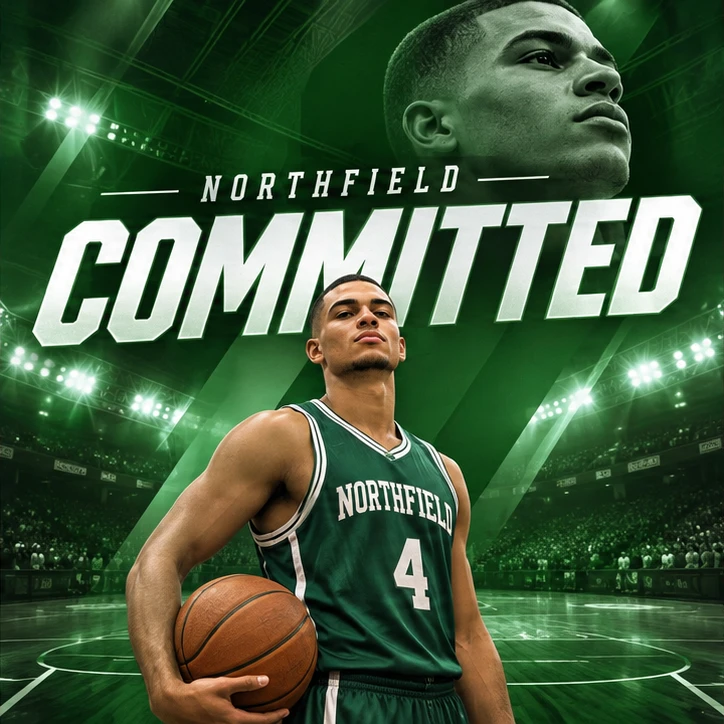
Separate required wording from optional details. For a bold sports graphic, “COMMITTED,” your name, and the school can do most of the work. A longer thank-you usually fits more comfortably in the caption.
Choose a photo with room for the headline
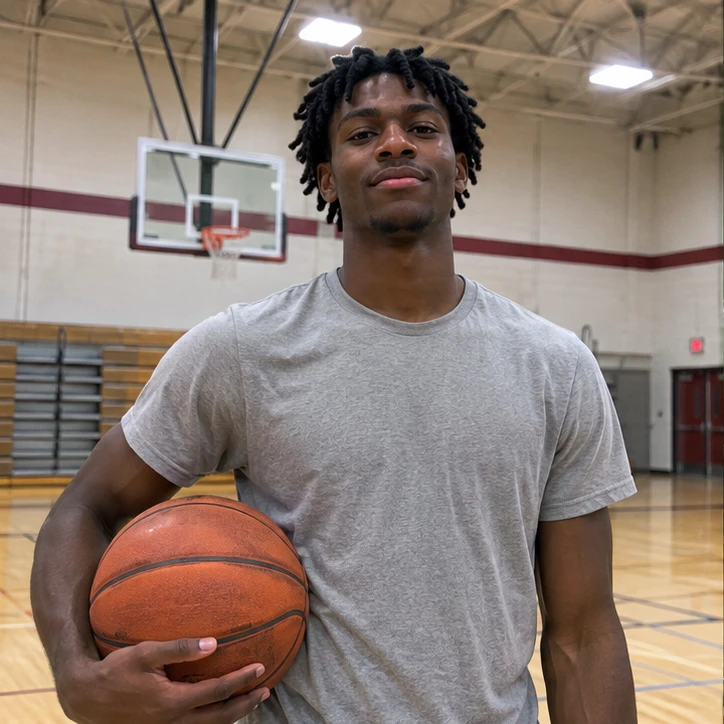
For a poster built around action, choose a sharp photo where the ball, equipment, or pose is visible. For a portrait poster, choose an image where your face is clear and the frame leaves space around your head and shoulders.
Look for a reference with the framing, text placement, and lighting you like. A reference with a large headline behind the athlete is more useful for that look than a generic screenshot of a team’s logo. Use photos and references you have permission to use.
Check the image on the phone you will post from
Read the school name and your name at normal phone size. Zoom in to check the jersey number, face, hands, and any school colors or wording you specified. If you plan to share it as a Story, choose the tall Story format and look for text close to the screen edges.
Before posting, confirm your announcement timing with the people involved. If one part of the image needs a correction, describe that specific change in the redo, such as “Change the jersey number to 14 and keep the composition.”
See an example
Illustrative example. A casual gym photo becomes an Indiana basketball commitment graphic with a crimson jersey, arena lighting and a layered portrait of the same athlete.